Showing posts with label remote employee. Show all posts

Thursday, November 26, 2020

04 Smarter Ways To Boost Your Remote Employees Productivity This Black Friday/Cyber Monday


Ahh, Black Friday and Cyber Monday are soon approaching our way! That means DEALS, DEALS, and DEALS. 2020's holiday season will not be like any other that we have already experienced. Well, this 2020, the fear of COVID-19 will keep us away from the most over-crowded shops. And that can really be a smarter way to curtail spending, but the truth is, the employees might still want to shop to grab the best offers. 

While some companies might have planned exciting marketing strategies for this Black Friday, a lot of organizations may be still battling to manage remote workers efficiently. Since it's the holiday season of the year, companies need to think a bit smarter on how they can make their employees put all their 100% in the work. 

It does not matter what type of business you have, the most vital thing that you, as a manager, need to think about is some efficient ways to increase the productivity level among the employees working remotely. No need to worry, as here we will be sharing some top 06 ways that you could include in your strategy to make your remote workers super productive this Black Friday.

1. Give A Pause To Such Sites 


Though workplace shopping can bring down the productivity level during the holiday season, it can be avoidable too. Block all the shopping sites, so that none of the employees might visit any shopping site during work hours. But yes, be transparent with your employees by explaining to them everything. 

One of the best things y'all can do is allowing the employees some time to have a quick sneak-peak at the offers or deals. Well, this will definitely help them to keep the productivity level up while not missing out on any of the incredible Black Friday or Cyber Monday deals. 

2. Make The Employees Educated Regarding The Sales


Remind the team to always shop securely without getting their personal details leaked. Online retailers that create Cyber Monday purchase payment information should have proper SSL encryption. Make your employees aware that while paying an amount for any good deal, they need to make sure that somewhere near the browser address bar, there is a green lock and that the address begins with 'HTTPS' that ensures the retailer's link is both private and secure. And they need to trust their intuition, of course, because if an offer is too good to be true, it really isn't.

3. Block And Control Access To Unwanted Websites


With the help of employee tracking software like EmpMonitor, it is not about controlling every aspect of employees' website traffic also during the holiday shopping season. But companies will get informed on what type of websites or apps are being accessed by the employees. If misuse of any of the sites is being found, then the employers can quickly take action against it. 

Since Black Friday sales are going to be really appealing, so it would be quite difficult for anyone to say no to it. In such a situation, it would be better to take the help of the right tracking software to know what the employees are upto. 

4. Maintain Utmost Transparency


It is not tricky at all to bring transparency. On this occasion, be clear about the goals that your business aims to achieve. Remember, the NO RULES phenomenon runs campaigns on Black Friday. So, there are going to be big sales that might attract your employees towards it. The best thing companies can do to ensure a smooth workflow is to get a direct convocation with the employees.

Employers need to arrange a comprehensive meeting for this reason, at least for the festive season (10-12 days), to discuss items related to setting up competitive rates or using time management tools.

Also watch: Manage Remote Work Easily With Powerful Monitoring Software: EmpMonitor(EmpMonitor AV Ad)


Conclusion


2020's Black Friday and Cyber Monday sales are definitely going to change the way people used to shop earlier. Whether employees or managers, everyone needs to have that golden opportunity to get their hands on the best deals. But with this, companies also need to look for the right strategies to ensure 100% productivity among the remote employees

Hopefully, this article can clear all your doubts and make this big shopping season the best for you. So, let your employees shop as much as they can, but along with ensuring 100% productivity among the remote workplaces.

Thursday, November 19, 2020

Remote PC Monitoring: Why Is It Necessary To Monitor Employee PC’s Activity?


Remote workforce is becoming too common nowadays! Not only a lot of companies quickly shifted or accepted the work from home policy due to the fear of COVID-19, but many are also thinking of moving ahead with the same policy. 

Yes, you heard it right! 

Work from home has become the new normal for every employee and company out there. And that's really great. Because of the way the infection cases are increasing, it would be better for all of us to stay safe at home and work from there itself. But the problem is not yet over! The remote workplace has brought a lot of changes in the working style and behavior of the employees. Productivity loss, communication issues, misunderstandings, etc., have made the company doubt its employees. 

And with this, a big question arises- Are the employees really working at home? 

Working remotely has benefited everyone a lot, but somewhere this change has also affected the companies productivity too. However, with the right planning and having the help of some robust tracking tools, companies can definitely be sure whether the employees are actually working or not. Yes, we are talking about Remote PC monitoring tools. Implementing such software in the remote employees work system will not only help the companies get an idea of which employees are working and who are not, but they will also be able to manage the workforce in a better manner. 

So, to help all the organizations out there get detailed insight into why remote monitoring is vital and which of the tools they can trust for long, we came up with this article. 

Why Is It Vital To Monitor Employees Computer Remotely?


See, remote pc monitoring is not at all a new concept over the market! Before this pandemic, a lot of companies started implementing this method, as it really helped them keep a check on the productivity level. Along with that, if any employee had to work remotely for some other reason, then this method even gave them the flexibility to track everything without any problem. 

And looking at the current scenario, implementing tracking software in the remote workplace can be the solution for all. Not only will it make everyone follow all the safety measures, social distancing, and all, but companies will be able to be in a loop of the on-going work too. 

What Are The Benefits Of Remote Monitoring?


There are a lot of benefits to investing in a remote monitoring tool for your company. And some of the advantages are given below:

1. Improves Efficiency


A remote-tracking tool enables you to see how long employees spend working on a project or track their progress during an assignment. To get a full understanding of if there are ways you can adjust how workers work to boost productivity, you can use the data you will gather.

2. Boost Productivity


When workers are working remotely, it can be hard for employers to maintain productivity intact. However, if management is prepared to enforce the installation of monitoring software on the PC of each employee, they can monitor productivity remotely without any hustle.

It can not only track tools and applications used by employees but also check whether employees are productive during their work hours or not, based on the remote employee monitoring features of the software you are going to use. 

3. Transparency And Accountability


Employers have access to the use of remote control tools to know if their workers are responsible enough to complete their assignments and tasks on time. Monitoring also allows them the ability to enhance back and forth contact so that they can quickly inform their workers about problems that have some space for improvement.

4. Productive Remote Work


Earlier, a lot of companies were not considering remote work options. Since, it was too difficult for employers and workers to get their job done for a longer time without being in office. Now, however, it has become easier for employers and workers to handle tasks and projects more effectively due to the different remote pc tracking software.

Top 05 Remote Tracking Tools To Use


  1. EmpMonitor
  2. DeskTime
  3. Time Doctor
  4. Hubstaff
  5. iMonitorSoft


Summing It Up


Are you still thinking of implementing remote pc monitoring in the workplace? Well, don't think so much. Hopefully, this article will help you get all your confusion sorted within minutes. The above-stated reasons and benefits will definitely help you understand why it is so vital to monitor employees' PC's activities. 

Wednesday, August 5, 2020

04 Best Time Tracking App You Need To Take A Look At


There is no doubt that time tracking tools do help organizations to have a smooth workflow. And these are popularly known to help companies have a more organized and efficient team. Simply install a time tracking software in the employee’s system to ensure that both the time and money are saved. Now, the point is, there are thousands of time tracking software available in the market with myriads of features. GPS tracking, productivity monitoring, invoicing, and many more! Thus with so many varieties, it will really become difficult to find out the best time tracking app that could help to manage remote employees efficiently during this pandemic. 

So, which time tracking software or tool will be the best?

Don't worry! To help in this situation, here in this article, we have come up with some of the top 05-time tracking tools to help in managing remote teams efficiently without providing any harm to the productivity level. Whoever you are, a freelancer, owner of a small business, or owe a large company with thousands of employees, this article is going to benefit you all! 

Now, without any further ado, let's move into the article. 

1. EmpMonitor


Do you want to manage remote teams efficiently? Are you even looking for an all-in-one monitoring tool that could handle all the responsibilities with great ease? If yes, then EmpMonitor can be the best option to choose from! This outstanding remote employee monitoring software not only assures companies to make employee monitoring a stress-free process for them but also helps in increasing the productivity level as well. 

Basically, EmpMonitor will help in monitoring employee’s computer activities remotely, along with providing detailed reports of the employees working hours with proper screenshots, user logs, keystrokes, and other details as well. 

Special Features:


  • Productivity measurement
  • Time-to-time screenshots
  • Browsing history
  • Keystrokes
  • Profound insights of the user log in and log out time
  • Activity monitoring
  • Saves time and money
  • Data security
  • 24*7 customer support 

2. Desk Time


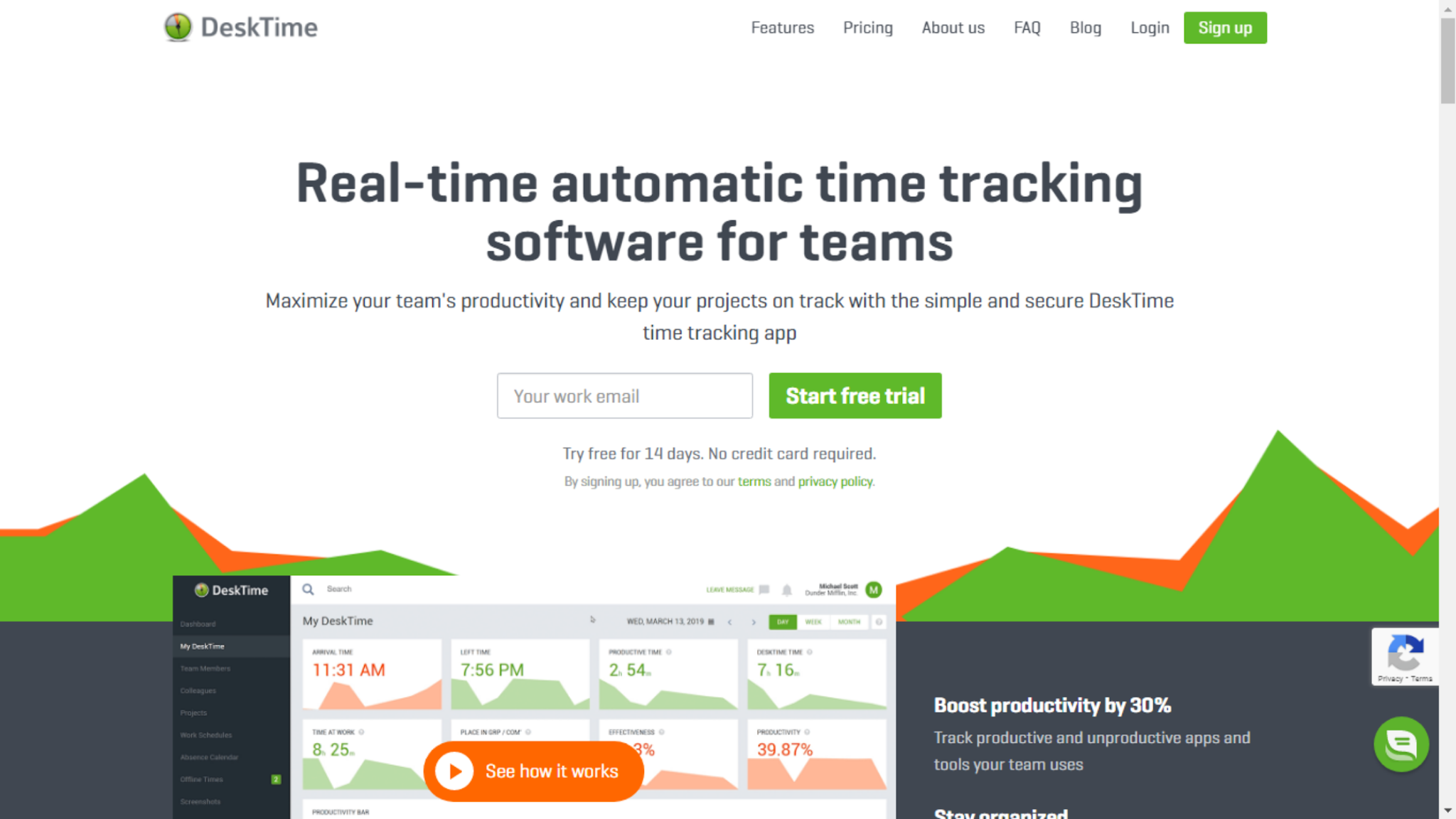
Well, Desk Time is one of the best time tracking app that comes with three vital features, including; employee tracking, productivity analysis, and project management. Moreover, Desk Time comes up specially to help all the organizations out there to enjoy a smooth workflow. It will not only help in pointing out the unproductive behavior of the employees but will also help to boost the productivity level as well. 

So, Desk Time will help in tracking the working hour of employees and will instantly calculate the daily productivity and performance of the employees on the basis of the task assigned to them. 

Special Features:


  • Automatic time tracking
  • Detailed visual reports
  • Auto screenshots
  • URLs and app tracking
  • Cost calculation
  • Project tracking

3. Time Doctor


Time Doctor is a complete combination of time tracking, employee monitoring, and project management software. It is said to be one of the robust employee tracking software that provides a detailed analysis of the employee’s activities. Basically, Time Doctor also provides  detailed reports of the websites visited and the apps used by the employees during the working hours. Not only this but, this astonishing software or tool even helps managers to take screenshots of the employee’s system every second to ensure nothing wrong happens. 

Special features:


  • Time monitoring and employee tracking
  • Project management and budgeting
  • Online timesheets and payroll
  • Productivity measuring
  • Distraction alerts
  • Screenshots

4. Toggl


Well, Toggl is a super easy to use timer-based time monitoring software! This software, allows to create projects, allot responsibilities, and set up expected budgets and timelines for each of the projects included. Thus, by this, spot instantly which of the project is getting delayed and is above the budget! After that, decide the time and keep the focus on the resources sequentially.

Special Features:


  • Tracking reminders
  • Scheduled alerts
  • Convenient browser extensions

Conclusion


Ready to monitor the work from home employees efficiently? Well, this article has come up with all the 04 Best Time Tracking App to help you get detailed reports about the employee's working hours and to increase productivity as well. All you have to do is to choose the perfect one according to your business needs. 

Sunday, July 26, 2020

What Is The Need Of Productivity Monitoring In A Remote Workplace?


As employees are working remotely, maintaining the productivity level among them has become a big challenge for all the companies. So, to deal with such types of problems, productivity monitoring has become a mandatory solution for all. 

Every employer wants to manage their employee’s work in a very detailed manner, but it becomes a bit difficult when there are a large number of employees working. 

Hence, productivity tracking is going to help you out to know what your employees are doing and how much time they take in completing a task. Here in this article, we will be discussing the advantages and disadvantages of monitoring employee’s productivity. Along with it, we will also have a revision of the top tracking tools to use in 2020!

Before we jump into the discussion, let us know:

What is Productivity monitoring?


Companies seek new and innovative ways to scale up their business! Ensuring that they have no drop in productivity during the scaling cycle. But with so many challenges, employers may find it a bit difficult to know which employees are working to the fullest.

Thus, having a tool or software to measure the productivity of the employees can help you a lot. And that is what productivity tracking is all about. It not only helps you monitor your employee productivity but also gives you a clear idea about which of the employees are doing a stellar job. Further, this information can help you provide training to weak employees while giving rewards to the extraordinary performers. 

Advantages of Productivity monitoring


1. Reduces the wastage of time


Well, employee productivity tracking will help you restrict unwanted internet practices. Once you have installed the right tool in your organization, you will get a lot of excellent features like website blocking and live activity monitoring! You can watch their activities without even standing right at their back while they are working. Thus, you will be free from all sorts of tensions related to the employee's actions.

2. Reinforce Existing Policies More Efficiently


Ensuring that the employees don't leak the company's data is a primary feature of a perfect monitoring software! With the help of such type of productivity monitoring, employers will be able to monitor the emails, browsing history, internet usage, and much more by just sitting in a single place. 

Since employees are working remotely, having information on the sites they visit every day and other things might be difficult. But with the appropriate tool or software, you can easily monitor and hence, forbid them from visiting any unauthorized sites. In short, you will be having an excellent option available for data security. 

3. Keep an eye on your remote employees!


We all know that work from home productivity monitoring is really very important to maintain a smooth workflow. And as we have discussed earlier, an excellent monitoring software comes with all the top-notch features that you might need to increase the productivity level among your employees. It is going to give you a proper assurance that the employees are working sincerely in their home just like they do in the office. And as long as the employees are working remotely, the productivity tracking software will restrict them from making any uneven use of the company's data. 

Disadvantages of Productivity monitoring


1. Privacy issues


We all concerned about our privacy! Right?

Similarly, if you will monitor your employee's activities every second, they might become against the act until the entire scenario is explained to them properly. So, it would be better if you notify your employees about your plan that you are going to execute to protect the company's data. 

2. Might affect the employee's morale


Many employees might get stressed out with the thought of getting their every single activity monitored by their bosses! And this stress can thus affect the on-going work, which could lead to decreased productivity. 

So, to avoid such type of situation, be frank to your employees and explain to them precisely the reason behind installing the software. List down the benefits that your company can get from using monitoring software. And yes, let them know how you will be using the information that you will get after monitoring them. 

Top 03 Productivity Tracking tools to use in 2020


1. EmpMonitor


If you are looking for an all-in-one employee monitoring tool, then EmpMonitor is going to be the right choice for you. This robust software can help you improve the employee productivity and business growth with several amazing features. 

EmpMonitor provides real-time monitoring and helps you get screenshots, User Logs, Keystrokes, along with having detailed reports of the employee’s computer system, which will thus help in increasing the workers productivity and company’s growth.


2. ActivTrak


ActivTrak helps you track the actions of your employees on almost any device that has been installed. It is completely invisible and will send you regular reports and screenshots of the computer activities of the employees.

3. Hubstaff


It is another type of software for time tracking, with a few excellent perks. Like other time-tracking software, it reinforces the team members to keep tabs about how they actually spend their time and gives you the ability to generate updates about their continuing success.

Conclusion


That's all for today! Hopefully, this article is going to clear all your doubts on why productivity tracking is necessary for the remote workplace. Since productivity tracking comes with a lot of perks, it is also vital to choose the right software to perform the activity. So, try to choose the best productivity monitoring software

07 Simple & Quick Hacks To Improve Employee Work Efficiency In 2021

A responsible employer should always think of possible ways to raise productivity alongside saving time. However, doing so is a sort of chal...